
Posted on

Festival Planning Tips

festival planning tips

We’ve worked with many festival organizers and over the years we’ve gotten the opportunity to see how some of the most well-known festivals operate. Festival planning, no matter the size is never a straight forward task and requires coordination and teamwork. We have experience with a variety of conferences, corporate and recreational festivals. While we’re not event planners we do have some wisdom to share about the planning process when it comes equipment rentals.

Planning Your Festivals

Festival planning requires organizers to work together. While the efficacy of working remote has greatly improved with technology, we’re still seeing many organizations set up temporary offices. Having a physical space for your team to collaborate can make the process easier and allows you to generate ideas in a more spontaneous manner. Compare that to working remotely where you have to reach out constantly and set up meetings to share ideas. The planning stages of an event can often be a hectic and rushed one so, creating a focused space where your team can efficiently coordinate with each other is crucial.

Empower Your Staff

Setting up a great work space for your staff means providing the right equipment for everyone so they can hit the ground running. In these situations, a rental partner can make the process of organizing your event easier by facilitating everyone’s specific needs. From your design team to operations manager, they all have different needs. You can rent desktops, notebooks, or even iPads that match their type of work. The right rental partner can help you get a variety of devices. They can also offer replacements should any technical issues occur that your team is unable to troubleshoot.

Security Concerns

Another reason you may want to provide your own devices to staff is for security reasons. With a rental device you can request additional security applications installed and have devices locked down to prevent unauthorized usage. As an event organizer you want to prevent any chance of data breaches or other forms of cyber-attacks.

An Operation Hub

Beyond just the planning phase you may also need devices for your reception area or box office to sign in guests or provide additional services. You should think about what devices you need to best facilitate a smooth experience for your attendees. You can rent laptops, iPads, and even printers to make it easy for your staff to run your event.

A More Budget Friendly Solution

We know it’s often difficult to navigate an event budget and that’s why renting is such a good option. Renting can help alleviate that stress by helping you get more for less. There’s no reason to invest in a permanent space or equipment if you’re only using it for a few months of the year. Renting is a cheaper more efficient way to make sure your staff is able to work as effectively as possible. Also consider the ability to upgrade your setup each time you rent which makes the headache of obsolete equipment a thing of the past.

If you’re festival planning and are worried about your staff’s ability to get the work done you should consider setting up a proper work environment for them. This eliminates concerns regarding access to equipment and minimizes the risk of any technical issues causing long term delays. We’ve assisted many different types of festivals through our rental services and have seen what it takes to run a successful event. If you’d like to know more about what equipment you need for your event staff just talk to one of our event experts today.


Posted on

Accreditation Exam Case Study

With over 30 years under our belt, Vernon has had a chance to work with many different professional associations throughout Canada. We’ve worked with both local and national associations and have over that time gained a great deal of insight on the challenges of facilitating an accreditation exam. If you’re in the process of planning an exam for your association just know that this task should not be underestimated. While there are many pitfalls to be aware of in administering a successful exam let’s focused on the importance of having rental equipment and a real-world success story that we were a part of.

The Accreditation Exam Scenario

We were contacted by a national association to assist them in providing back up devices for their upcoming exams. They required these devices for any student that may experience unforeseen technical issues with their personal laptops during the exam. In case of any hardware problems the association needed the test takers to be able to continue with the exam seamlessly.

Device Imaging

The notebooks requested required specific specs and software to facilitate the needs of this particular exam. Our team coordinated with them to understand their unique specification and to facilitate the right applications and hardware specs required for the test. Students will not have time during the exam period to configure the devices therefore they must work precisely as intended right out of the box.

We also provide test devices to the customer in order to validate the setup and give them a chance to review and request any additional features. Once the device has been tested by the association then do we proceed with configuring and shipping. Our dedicated team ensures that all the devices shipped will function identically to the approved device.

Reliable Inventory

Over 1000 notebooks were requested by the association in order to ensure continuity during the testing period. Fulfilling an order of that size requires more than just a large inventory but also the ability to source large quantities of similar devices.

The Logistics

This association was a national one and had organized testing centers across Canada. Not only did we have to facilitate the delivery of these devices to over 50 locations nationwide, the devices were required to be on location all during the same testing period. While some of the testing centers were located in major cities, others were setup in isolated rural locations but that was not a challenge for us. All of our devices arrived on time and without issue. We were able to execute this order due to our large national network and extensive logistics experience.

Reverse Logistics

Not only is our delivery process dependable, our return process is just as reliable and easy. Once the exams had concluded our team picked up all of the devices directly from each location making the whole rental process a hassle-free experience. Once the devices were back in our facilities, we have procedure in place to not only clean the devices physically but also to remove any of the data left behind by the users.

The next time you’re organizing a test center consider whether or not you need to provide backup devices for your students. It’s important that you make the testing process as smooth as possible and having emergency devices on hand can help facilitate that. Another way to make your job easier is to find a reliable rental partner like Vernon who can handle requests such as these and can provide services across Canada so no matter where you need testing equipment, we can deliver it.

Posted on

Tech Rental Partners, An Event Planner’s Secret Weapon

Tech Rental Partners An Event Planner's Secret Weapon

If you’re an event planner or have ever orchestrated your own event then you know how complicated the process can be. There is a symphony of activity that needs to take place in order for an event to run smoothly. You have to balance all the technical and logistical elements while also pulling off an exciting and creative experience for your guests. This is where having a trusted rental partner can help alleviate the stress of managing your tech. You’re dealing with caterers, entertainment, venue staff and countless other issues so the last thing you want to do is trouble shoot your tech equipment. A good rental partner will not only provide high quality equipment that works but can also provide on-site tech support if you need it. When you have the right support, you can focus on the fun parts of event planning. 

Diverse Solutions for an Event Planner

Don’t be limited to what a venue can provide or what you have on hand. Renting allows you to explore a wider range of possibilities. With the right vendor you can access tech you would never have even dreamed of. Make your event’s theme come to life with glorious large format displays or engage guests with interactive touch-screen kiosks. You can create a stunning visual environment that transforms your space into something truly memorable.  

Scalability

With a good rental partner, you get access to as much tech as you need without the upfront cost. As an event planner you’ll likely be working with a variety of clients who will all have different needs for their specific event. This can make it difficult to have all the equipment you need inhouse. When looking for a rental partner you’ll want to make sure they have a large inventory, flexible rental terms, and national delivery. This way you get what you need for any event, anywhere! 

Cutting Edge Options

It’s not easy keeping up with all the latest tech gadgets which is why renting is so great. You can access new technology and test out devices before you deploy them in the real world. Let your imagination run wild and design your event around your tech. You can craft a special virtual reality or augmented reality event that can take your guest on an unforgettable adventure. 

Expertise

While it’s great to be tech savvy, it’s okay if you’re not the most up-to-date on today’s tech. That’s why having a partner who is experienced can be so useful for event planning. You have an idea but you may not know what you need to execute that vision. A good rental partner will have a wealth of experience pulling off all kinds of events. They can suggest the best equipment or devices for your needs. They can even offer seamless delivery and setup so you don’t have to worry about any technical issues.  


If you’re not sure whether or not you need a tech partner for your event planning business then consider this: if you’re not a chef, you wouldn’t cook for your guests, you’d hire a caterer! Event planning requires you to keep a lot of plates spinning so rely on experts to help you where you can. A technology rental can ensure the success of your event from planning to execution. It allows you to explore new and creative ideas, get the right equipment, seamlessly have all your devices setup, and if there are any problems an on-site tech support staff can be there to handle it. A good tech rental partner gives you room to think about the big picture! 

 Are You An Event Planner?

If you’re an event planner interested to know how a technology rental partner can integrate into your business then talk to Vernon. Our event rental experts have seen it all and with our decades of experience we’ve provided rentals for some of the most notable events and brands in the world.  

Check out More Event Tips!

Posted on

The Right Business Devices for Your Team?

The Right Business Device For Your Team

The key to choosing the right business devices for your team is first understanding what your team’s needs are as a whole and balancing that with each member’s individual requirements. Getting your specific answers may require some soul searching on your part but this guide will give you some general areas to be cognizant of. 


Your Budget for Business Devices

Having a budget for your business devices can be both a blessing and a curse. When considering how much to spend it’s best to be realistic to your needs. While we would like to get the best features, a good budget will help you narrow down your choices and reduce overspending that may actually be more of a hinderance than a benefit. 

Performance

Consider what each team member is working on and what software they will use on a regular basis. Understanding the minimum and recommended requirements for these applications can help you decide what specification to prioritize. Certain workloads may require sustained performance over a long period time which a more powerful CPU will certainly be handy for. Do you have a role that requires 3D rendering software? Then you may want to spend more on a graphics card or a setup that has good integrated graphics. 

Storage 

The problem of storage today is a little more tricky than it use to be. With the benefit of faster SSD’s (solid state drives) that have smaller storage options and the availability of cloud storage, less might actually be more. Consider the types of files you’ll be accessing on a daily basis and also how fast your team’s internet connection is to determine which option is the most economical for your office. If you have a team member that’s on the road with spotty internet access then they may need to store all their files locally. 

Work Environment 

Where your team will be working is crucial to the form factor of their devices. Are you in an office setting or is your team traveling between worksites? Portability comes at a cost so consider whether your team needs laptops for mobility or will having more powerful desktop setups yield more productivity. If your team works remotely, it’s also prudent to keep in mind the kinds of environment they’ll be in if they’re just at home. Perhaps a more durable device is needed if you have people working in rugged settings. 

Business Device Security 

It’s always important to secure your company assets and that includes all of your files and business devices. While most devices will have some basic security features you should consider what a security breach would cost your company and act accordingly. Biometric authentication and added encryption features will help you secure your data should devices be lost of stolen. 

Connected Business Devices

It’s important not to simply think of a computer as a device in isolation but also imagine what equipment your team will need to interface with. This may come down to each employee’s own personal preference for peripherals or it can be a crucial requirement rendering certain tasks impossible. Whether you have equipment that requires specific ports or just want to make sure your team isn’t lugging around half a dozen dongles and adapters make sure your devices have the right connectivity options for everyone.  

Operating System 

Similar to connectivity it’s crucial to understand what digital environment your equipment or applications work best in. While you may like the aesthetics of Apple products, they may not be compatible with your team’s workflow. So, understand what operating system you need whether, it’s MacOS, Windows, or Linux, and consider each team member’s individual needs/preferences as well as how they can collab with each other. 


Business Devices – Brands/Models that you can start with: 


Whether you’re an IT specialist or just an owner operator deciding on your office equipment for the first time it’s always difficult to juggle the needs of your entire team. If you’re not sure what you need you can always talk to a computer rental expert and test drive your setup before you commit to a decision that may affect the performance of your business.  


Posted on

Renting – A Greener Way to Do Business

sustainable practices

Do you want to incorporate more sustainable practices in your business? Technology rentals and sustainability can go hand in hand when managed and executed thoughtfully. Here’s how tech rental services can contribute to sustainability:

  1. Reduced Electronic Waste: Technology rentals encourage the reuse of electronics. Instead of individuals and businesses buying new devices every time they need them, they can rent and return them when no longer needed. This reduces electronic waste in landfills.
  2. Extended Product Lifespan: Rental companies have an incentive to maintain and repair their tech equipment to keep them in good working condition for as long as possible. This extends the lifespan of the devices, reducing the need for frequent replacements.
  3. Upgrading Technology Responsibly: Rental services can regularly update their tech inventory to include the latest, most energy-efficient models. This allows customers to access cutting-edge technology without the need to discard old devices, reducing e-waste.
  4. Sharing Economy Principles: Green technology rentals align with the sharing economy concept, which promotes resource efficiency. Instead of everyone owning their tech gadgets, a few devices can be shared among many users, reducing the overall number of products produced and disposed of.
  5. Recycling Initiatives: Responsible tech rental companies often have recycling programs for devices that have reached the end of their useful life. They ensure that these devices are properly recycled, minimizing their environmental impact.
  6. Renewable Energy/Carbon Offsetting: Some tech rental companies utilize renewable energies or invest in carbon offset initiatives to compensate for their carbon emissions, which can result from shipping and transportation.

However, it’s important to note that not all tech rental companies operate with sustainability as a priority. When considering a tech rental service, it’s essential to research their sustainability practices, including their device maintenance, recycling programs, and environmental policies.

Vernon Technology through their parent company DCR employs a variety of sustainable practices including the use of renewable energies. They also have an abundance of environmental certification including the widely recognized R2 2013 certification. For more information about their green initiatives click here.

Posted on

Powerup your next corporate event with some new tech!

Corporate Events

Want to spice up your next corporate event? There’s still time to infuse your yearend gala or corporate get-together with some exciting new tech! We’ve compiled a list of interesting ideas to make your event more interactive, more fun, and more memorable as well.

  1. Displays and Projectors:
    • Rent large format displays or projectors to showcase presentations, branding, and dynamic visuals. These can be used for stage backdrops or as interactive elements throughout the event.
  2. Virtual Reality (VR) Stations:
    • Create immersive experiences by renting VR headsets and stations. Attendees can explore virtual environments or participate in interactive simulations related to your industry or event theme.
  3. Interactive Touchscreens:
    • Rent touchscreen kiosks or displays to provide interactive maps, schedules, and information about your event. These can also be used for games, surveys, or product demos.
  4. Event Apps and Attendee Engagement Platforms:
    • Utilize event technology platforms that offer features like agenda scheduling, networking opportunities, live polling, and Q&A sessions. These platforms can enhance attendee engagement and provide valuable data.
  5. Charging Stations:
    • Offer charging stations to keep attendees’ devices powered throughout the event. This convenience can be a valuable addition to your gala.
  6. Live Streaming and Webcasting:
    • Rent equipment for live streaming or webcasting your event to reach a broader audience. This is especially useful for conferences or galas with remote attendees.
  7. Event Gamification:
    • Incorporate gamification elements by renting tablets loaded with custom event apps. Attendees can participate in scavenger hunts, quizzes, or challenges throughout the event.
  8. Bidding Auctions:
    • With the right technology setting up an auction can be a simple and effective way to create a great experience for your guest. You can rent all the hardware and software you need from technology rental companies like Vernon.

When renting technology for your corporate event or gala, it’s essential to work with reputable suppliers and ensure that the technology aligns with your event’s objectives and theme. Additionally, provide clear instructions and support to attendees to maximize their engagement with the technology.

Posted on

Does Your School IT Department Need a Rental Partner?

Does Your School IT Department Need a Rental Partner?

Technology plays a pivotal role in education today and keeping up with changing demands can be difficult. As such your school IT department may be under a high degree of stress. Having a trusted rental partner can help alleviate that stress by providing solutions for unexpected issues while also offering additional resources within tight budgets.

Reduce Disruptions and Maintain Continuous Learning

While you can plan for most things there will always be situations outside of your control. When your plan B fails that’s when a good rental partner can save the day! You may be able to order new devices for your school well in advance of the new year but unexpected delivery issues can occur, leaving you and your students and staff without the tools they need. A good rental partner with a large inventory and flexible terms can deploy replacement devices rapidly, reducing any gaps in learning.

Empower Your Staff and Students to Achieve more

While you may only be able to get devices within your budget in the long-term, a short-term rental can provide necessary tools and upgrades for specific projects. Don’t let your existing inventory limit the kind of education your students can have. Give your school IT department and teachers more freedom to incorporate additional equipment and apps through a rental partner. This is a budget friendly way to create a cutting-edge learning experience for your students.

Test and Explore New Technology

As technology evolves, changes become more and more rapid, making it difficult to commit to new equipment. Don’t risk getting the wrong devices for your school, explore and test new devices and applications before you make a decision. A good way to pilot new technology is to get a flexible rental plan which allows you to have as much or as little time as you need to see how new equipment will integrate with your staff and students.

As technology becomes an ever-greater part of the education process your school IT department is under greater pressure to meet changing demands. You can help out your IT team by finding a good rental partner that can support them in case of technical issues. Beyond just dealing with disruptions a renting can also be a budget friendly method of accessing new technology. In additional to that it can allow for thorough testing and exploration before a long-term commitment to new equipment. If you want to give your school’s IT department more support talk to a Vernon rental expert today and see how we can help you now and into the future.

Posted on

IT Rentals for Event Organizers

IT Rentals for Event Organizers

Event planning is a large endeavor that demands meticulous attention to detail and integrating many different elements to create a memorable experience. Technology plays a central role in the success of events, from conferences and trade shows to corporate gatherings and product launches. However, acquiring and managing the necessary IT equipment can be a daunting task. This is where IT equipment rentals for event organizers come to the rescue, providing a streamlined and efficient solution to meet the technology demands of any event.

Cool and Engaging Technology

Events thrive on innovation, and incorporating the latest technology is essential to create impactful experiences. IT equipment rental companies offer a wide range of cutting-edge devices, from laptops and tablets to interactive displays and more. Event planners can access state-of-the-art technology without the need for extensive investments, ensuring that attendees are engaged and impressed by the event’s tech-driven features.

Smooth and Reliable Setup

Setting up and managing IT equipment can be complex and time-consuming, often requiring specialized technical expertise. Rental companies offer professional technical support, ensuring that the equipment is correctly installed and configured. Event planners can focus on coordinating other aspects of the event, confident that the technology will function seamlessly.

Enhanced Interactivity

Interactive technology solutions, such as touchscreen displays and virtual reality setups, enhance attendee engagement and leave a lasting impression. IT equipment rentals enable event planners to experiment with these immersive technologies, creating memorable experiences that set their events apart.

By harnessing the power of IT equipment rentals, event planners can create immersive and technologically advanced experiences that captivate attendees, leaving them with lasting memories and a positive impression of the event. Embrace the benefits of IT equipment rentals and unlock the potential to elevate your event planning endeavours to new heights. Talk to us about IT rentals for event organizers today!

Posted on

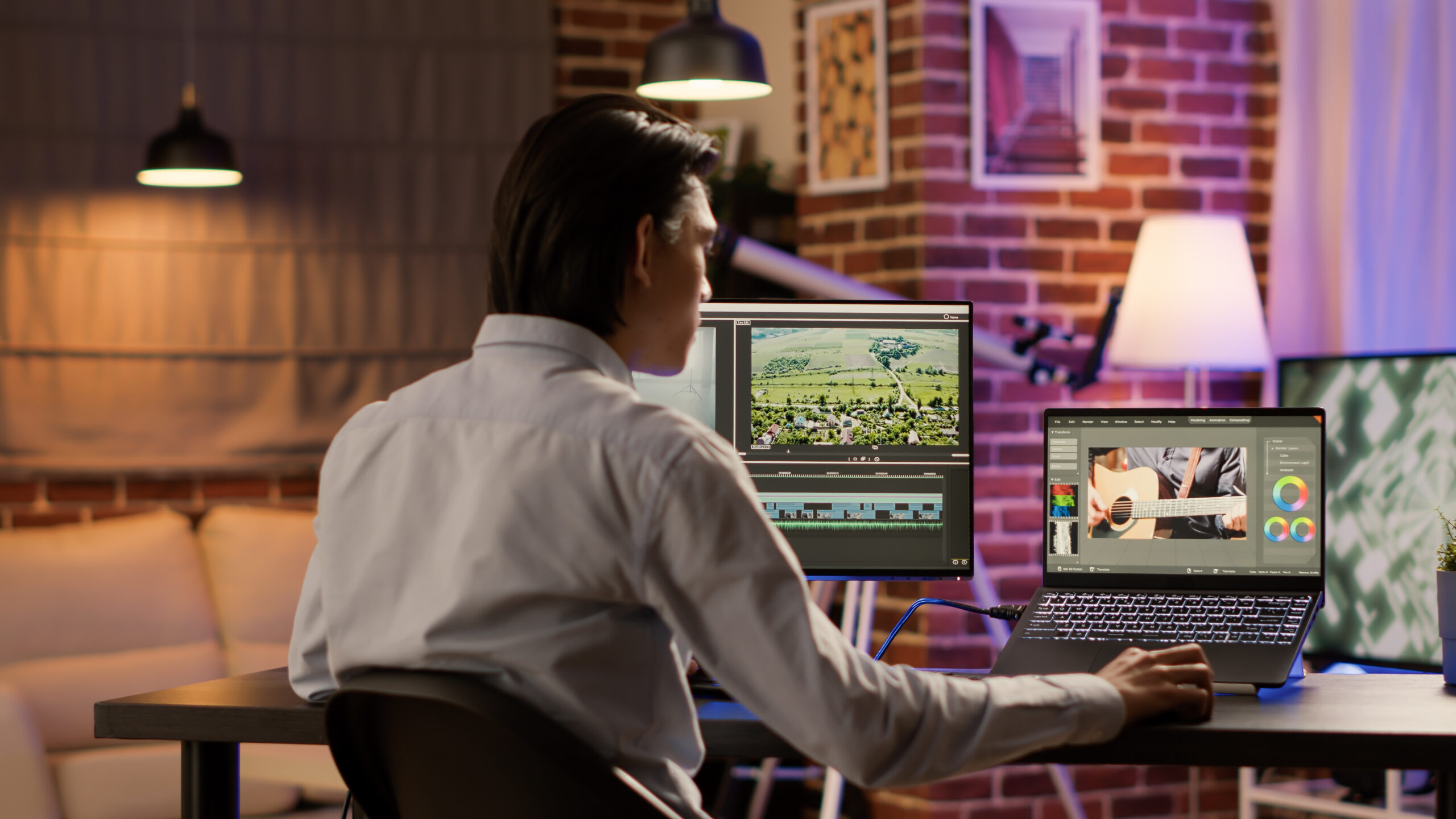
High-Performance Video Editing on a Budget?

High-Performance Video Editing on a Budget?

You don’t need to be in the film industry to know that video editing and filmmaking is an expensive endeavour. While there are many great options to shoot and edit videos on your phone that’s not always going to suffice especially if you’re working on a professional project. Whether you’re just getting started or upgrading your existing setup for video editing you need a lot of processing power. If you’re not adequately optimized for the task then you’ll find yourself in a quagmire of issues. So can you have high-performance video editing on a budget?


Processor (CPU):

You need a powerful CPU if you’re looking to render high-resolution videos at respectable frame rates. If quality and workflow is a major concern for you then you can’t neglect your CPU selection. To achieve great results, you’ll want to get the highest clock speed in conjunction with the most cores.

Graphics (GPU):

If you’re serious about video editing then you need a dedicated GPU for your set up. Something with a good amount of memory and can handle the video resolution you’re outputting. Beyond just performance you also need to be aware of the intended usage of the card itself. Some GPUs are designed for gaming which may not be perfectly optimized for video editing software.

RAM

While you can’t go wrong with more RAM, how much you actually need will depend on what your specific workflow looks like. On the low end 8GB of RAM may get you through a 1080p project but if you’re dealing with 8K footage then 64GB is more in line with your needs. The video editing software you’re using will also have basic and recommended requirements for the amount of RAM you’ll need.

Storage

An SSD (Solid State Drive) is crucial for faster data read/write speeds. You should use an SSD as the primary drive for the operating system and video editing software. For additional storage, consider using large HDDs (Hard Disk Drives) for media files and project backups.

Display

To make your effects worthwhile you need to have an accurate representation of the final results. The display is your window into the world of your video. A high-resolution and color-accurate display is vital for accurate video editing. Look for at least a Full HD (1920×1080) IPS panel, and if possible, consider a 4K display for enhanced detail and precision.

Software

The cost of entry for industry level video editing software can be prohibitive especially if you’re just starting out. Whether you’re working in Premiere Pro and After Effects or Final Cut Pro, you’re looking at a hefty subscription fee or a large upfront cost. While cheaper alternatives do exist on the market you won’t get all the features you need. Is that a compromise you’re willing to make?

Researching and sourcing all these components is what makes video editing such an expensive task. Even if you’re able to get the perfect setup today it won’t be too long before new technology catches up and you get stuck in a vicious upgrade cycle. If you just need to produce high quality videos once in a while then it doesn’t make economic sense to invest in new equipment. Instead, you should consider the rental option. A good rental partner can help set you up with the best device and software so you don’t need to worry about performance. The right company will also be able to offer you flexible terms and even support when issues arise. The best part of a rental is that you avoid the upfront costs and also don’t need to compromise on the specs you actually need. Talk to a rental expert at Vernon and see how you can get high-performance video editing on a budget!

Here are some popular models you can consider for your next project:

  1. Mac Studio (M2)
  2. Microsoft Surface Studio 2
  3. Mac Mini (M2 Pro)
  4. HP Omen 30L
  5. Velocity Micro Raptor Z95

Stay up to date on all of our posts by following us on Instagram.

Posted on

Technology Rentals for Short Term Projects

Technology Rentals for Short Term Projects

Purchasing new equipment for a single project can be costly and impractical. A technology rental partner can provide flexible and efficient solutions. Get access to the right equipment without the upfront costs. Find out why technology rentals for short term projects can help your business.


1. Flexible Selection:

By renting you get a wide array of equipment options. From high-performance laptops and tablets to interactive displays and audiovisual equipment, rentals can be customized to suit the goals and objectives of the project. This adaptability ensures that you have precisely what you need to excel in your short-term endeavors.

2. Cost-Effectiveness:

Renting technology for short-term projects is a good way to get what you need without breaking the bank. Only pay for the equipment you need during the duration of the project and eliminate unnecessary costs. This cost-effectiveness allows you to invest your financial resources in other aspects of the project or just to save funds overall.

3. The Latest Technology:

Innovation is constant in the tech industry, rendering older equipment quickly obsolete. Technology rentals enable you to stay up-to-date with the latest and most innovative solutions without incurring the expense of constant upgrades. Access to cutting-edge technology ensures that projects run smoothly and efficiently, achieving exceptional results.

4. Technical Assistance:

Technical issues can be detrimental to the success of time-sensitive projects. Technology rental partners can provide support and even replacement devices to reduce downtime. Their expertise ensures proper installation and configuration, allowing you to execute your projects seamlessly without disruptions.

5. No Maintenance:

When you purchase your equipment, overtime you’ll inevitably have to deal with maintenance issues that arise from wear and tear. With an equipment rental you never have to consider the lifespan of your devices but rather your only concern is simply the duration of the project itself. This means you do not have to allocate resources to keep your equipment running nor do you have to consider disposal of obsolete devices.

By renting your equipment you can reduce your costs, increase flexibility, access the latest technology and get support when you need it. You can optimize your process with cutting-edge equipment without the weight of long-term commitments. Whether it’s a temporary project, a specific assignment, or any other short-term task, technology rentals empower you to achieve outstanding results while staying within your budget. Get technology rentals for short term projects today!

Stay up to date on all of our posts by following us on Instagram.