

Posted on

When Disaster Strikes (And It Will): Why Your Tech Recovery Plan Needs a Reality Check

Why your disaster recovery plan needs immediate access to replacement tech.

Look, let’s be honest. As an IT Director, you’re constantly juggling a million things. Keeping the lights on, fending off cyber threats, pushing new initiatives, and somehow, somehow, staying within a budget that always feels too tight. And then there’s disaster recovery. It’s one of those things everyone talks about, everyone has a document for, but when push comes to shove, most plans feel like they’re held together with duct tape and good intentions.

“Business disruptions can be devastating. A rapid tech recovery plan is crucial.” Yeah, you’ve heard it before. But what does that actually mean for you when a critical server unexpectedly flatlines, a batch of essential laptops goes missing in transit, or a local disaster takes out your primary office? It means stress. It means frantic phone calls. It means a business grinding to a halt, costing real money, and frankly, making your team look bad through no fault of their own.

The True Cost of “Hope for the Best”

You know the drill. That gut-wrenching moment when a core piece of infrastructure fails. Maybe it’s a critical application server, a bank of workstations for your call center, or the network gear powering your entire operation. Suddenly, your entire organization is in limbo. Every minute of downtime isn’t just an inconvenience; it’s a financial drain. We’re talking lost revenue, missed deadlines, damaged customer trust, and a significant hit to employee productivity and morale.

And let’s not forget the sheer pressure on you. The CEO is asking for updates every five minutes. Sales is losing deals. Operations is screaming because they can’t process orders. Your team is working round the clock, trying to patch together a solution with limited resources. It’s a headache, pure and simple, and it often comes down to one thing: a lack of immediate, actionable resources.

Why Your Current DR Playbook Might Be Falling Short

Let’s cut the corporate jargon for a second. Most disaster recovery plans are brilliant in theory. They have flowcharts, escalation procedures, and contact lists. But many stumble hard when it comes to the physical infrastructure needed for recovery.

The “Buy and Hold” Fallacy: Who has the budget or the space to buy, store, and maintain a full fleet of spare servers, laptops, and network equipment? Not only is it a massive capital expenditure, but that gear starts depreciating and becoming obsolete the second you unbox it. By the time you actually need it, it might be yesterday’s technology. It’s a sunk cost that provides diminishing returns.

Supply Chain Roulette: When disaster strikes, you’re suddenly at the mercy of global supply chains. Manufacturers, distributors, shipping companies – they all have their own lead times, their own priorities, and frankly, their own potential delays. Trying to procure 50 new, specific-model laptops or a rack of enterprise-grade servers yesterday is a pipe dream. You’ll be waiting days, weeks, maybe even months. Your business can’t afford that.

The Budget Battle Royale: Need to make an emergency hardware purchase in the middle of a crisis? Good luck navigating procurement approvals and budget red tape when every decision feels like it needs three layers of sign-off. The clock is ticking, and the bureaucracy is grinding. It adds insult to injury when you’re already fighting a fire.

Your plan needs to move beyond paper and into practical, rapid deployment. It needs to provide immediate access to the gear you need, when you need it most, without the usual headaches.

Vernon: Your Immediate Access Pass to Business Continuity

Here’s where Vernon steps in and frankly, changes the game. Imagine this: a critical server fails. Instead of scrambling, instead of calling every vendor under the sun hoping for a miracle, you make one call. Within hours, not days or weeks, a fully configured replacement is on its way. Laptops for a temporary operations center after a flood? Done. Network switches for a remote pop-up office that needs to be online now? Covered.

Vernon provides immediate access to replacement servers, laptops, and other critical infrastructure. We’re talking about high-quality, pre-tested, enterprise-grade equipment that’s ready to integrate into your environment the moment it arrives. The benefit? Minimizing downtime and ensuring business continuity isn’t just a tagline; it’s what we deliver.

This isn’t about buying a truckload of depreciating assets. It’s about smart, agile hardware provisioning. You get the equipment you need, for precisely as long as you need it, and you classify it as an operating expense (OPEX) rather than a capital one (CAPEX). That’s a win for your budget and a massive win for your peace of mind.

Beyond Disaster: Smart Tech Provisioning for Everything Else

While a solid disaster recovery strategy is non-negotiable, let’s be real, your tech needs aren’t just about crises. Your business is dynamic. It scales up, it scales down. It takes on new projects. It expands.

Think about those seasonal spikes. Holiday retail rushes, tax season for accounting firms, large-scale annual conferences, or sudden demand for remote work setups. Do you really want to buy, deploy, and then warehouse a bunch of hardware you’ll only use for a few weeks or months? Absolutely not.

Vernon isn’t just your emergency lifeline; we’re your agile tech partner for every scenario: Temporary Projects – Need a special project lab for 3 months? Get the exact hardware without the commitment. Training & Events – Outfit a training room or a trade show booth with cutting-edge tech, then send it back when you’re done. Proof-of-Concept – Test new software or systems on specific hardware before making a massive purchase. New Employee Onboarding – Need 20 laptops for a new team starting next month? We got you. Mergers & Acquisitions – Integrate new teams quickly without draining capital on redundant equipment.

It’s about having the flexibility to scale your IT infrastructure on demand. No depreciation worries, no endless inventory management, no frantic last-minute purchase orders.

What to Demand from Your Tech Recovery Partner

So, when you’re looking for a partner to shore up your recovery strategy, what should you really be demanding? Speed, Period: If they can’t get you the right gear fast, they’re not helping you recover; they’re just another vendor in a long line. We’re talking hours, not days or weeks. Quality & Readiness: Your tech needs to work the second it comes out of the box. No excuses, no “tech support” loops, and no missing cables. It should arrive configured, tested, and ready for deployment. Flexibility & Scale: You need 5 laptops or 50 servers? They should be able to handle it, scale up or down, and provide exactly what you need, not just what they have in stock. Expert Support: Real people, real answers, 24/7. Not some automated chatbot sending you to a FAQ page when your business is burning. You need expert guidance and fast problem-solving. Transparency: No hidden fees, no complicated contracts. You need to know what you’re getting, when you’re getting it, and for how much. Clear, straightforward, anti-BS.

Stop Kicking the Can Down the Road

Look, nobody wants to think about disaster. But ignoring it won’t make it disappear. It just makes the eventual fallout worse. As an IT Director, your team deserves a clear path to recovery. Your business demands resilience. And you, frankly, deserve peace of mind.

It’s not just about protecting hardware; it’s about protecting your operations, your reputation, and your sanity. Don’t wait for the next system failure, the next supply chain hiccup, or the next global event to hit. Get ahead of it. Build a rapid tech recovery plan that actually delivers. One that provides immediate access to the critical infrastructure you need, exactly when you need it most.

A truly effective rapid tech recovery plan isn’t a theoretical exercise; it’s a strategic imperative. Talk to Vernon today. Let’s build a tech recovery plan that actually works, one that gives you the immediate access and agility to keep your business running, no matter what gets thrown your way.

 

Posted on

Why Smart Event Managers Rent Interactive Kiosks (And Never Buy Them)

Vernon technology | Laptop rental, trade show rental technology

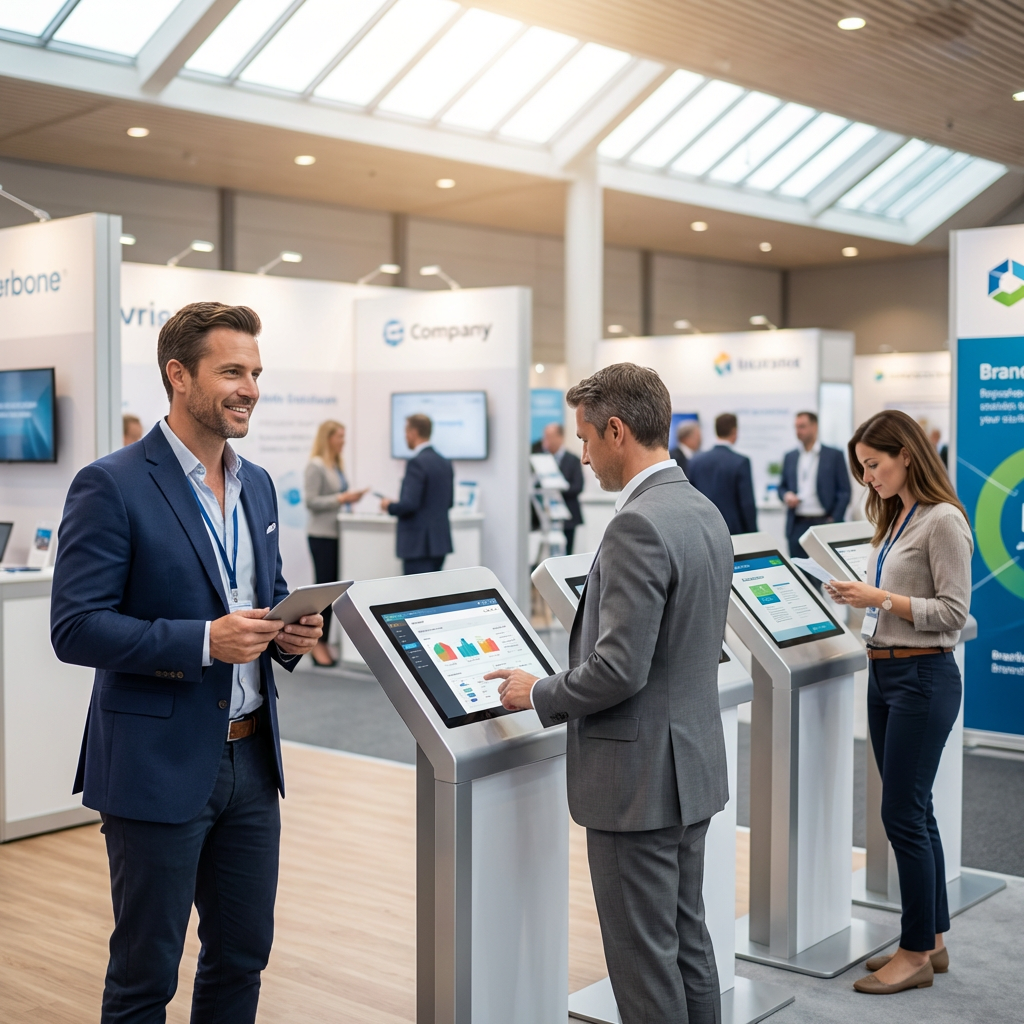
You’re three weeks out from your biggest trade show of the year. Your booth design is locked. Your team is prepped. Then someone asks: “Do we own those kiosks, or are we renting?” If you hesitated, you’re not alone.

Most event managers face this question at least once. And the answer isn’t always obvious—especially when you’re juggling budgets, timelines, and the very real fear that something will break in front of 10,000 people.

Here’s what we’ve learned after 30+ years of deploying interactive kiosks for trade shows, conferences, and corporate events across Canada: the companies that rent don’t just save money. They sleep better.

The Real Cost of Owning Interactive Kiosks

Let’s start with the obvious: buying kiosks feels like control. You own them. They’re yours. No one can take them away. But here’s what ownership actually looks like: Upfront capital: $3,000–$8,000 per kiosk (and you’ll need at least 3–5 for a decent booth presence). Storage: Where do they live between events? Your office? A warehouse? That’s rent, climate control, and insurance. Maintenance: Screens crack. Software updates break things. Touchscreens stop responding. Someone has to fix that. Obsolescence: In 18 months, your kiosks look dated. In 3 years, they’re a liability. Transport: You’re now responsible for packing, shipping, and setup. Every. Single. Time.

And the kicker? You still don’t have a backup plan if something fails on-site. Ownership gives you an asset. But it also gives you a second full-time job.

Why Renting Isn’t “Just for Budgets”

Most people think renting is about saving money. And yes, it does that. But the real reason event managers rent isn’t financial—it’s operational.

You Get the Right Tech for the Right Event

Not every event needs the same kiosk. A product launch at a convention center has different needs than a recruitment fair at a university. When you rent, you can spec exactly what you need: 32″ touchscreens for high-traffic booths, compact tablets for intimate settings, branded enclosures that match your booth design, and custom software integrations (CRM, lead capture, gamification). You’re not locked into hardware you bought three years ago. You’re deploying what works now.

Someone Else Owns the Risk

Here’s a scenario every event manager dreads: It’s 7 a.m. on Day 1 of your trade show. You’re setting up. One of your kiosks won’t turn on. The screen is black. Your IT person is 400 km away.

If you own the kiosk: You’re scrambling. Calling techs. Googling error codes. Praying. If you rent from Vernon: You text us. We swap it out. You’re live in 20 minutes.

That’s not hyperbole. That’s the contract. When you rent, the vendor owns the risk. If something breaks, it’s their problem to solve—not yours. And if you’ve ever had to explain to your VP why the booth isn’t ready at 9 a.m., you know exactly what that peace of mind is worth.

You Don’t Pay for Downtime

Let’s say you run 4 trade shows a year. That’s 12 days of actual use. If you own your kiosks, you’re paying for 365 days of storage, insurance, and depreciation—for 12 days of value. When you rent, you pay for what you use. No storage fees. No maintenance contracts. No “Oh crap, we need to update the software before the next event.” You show up. The kiosks work. You leave. Done.

You Stay Current Without Trying

Technology moves fast. What looked cutting-edge in 2022 looks clunky in 2024. When you own kiosks, you’re stuck with them until you can justify another capital expense. When you rent, you get access to the latest hardware and software every time you deploy.

That means: faster processors, brighter and more responsive screens, better integrations with your CRM and marketing tools, and cleaner, more modern designs that don’t scream “2019”. Your booth stays fresh. Your brand stays relevant. And you didn’t have to fight finance for a new PO.

When Buying Makes Sense (Spoiler: It’s Rare)

Look, we’re not going to tell you that renting is always the answer. There are cases where buying makes sense: You run 20+ events a year with the exact same setup every time. You have in-house IT support who can maintain, troubleshoot, and transport the kiosks. You have dedicated storage space that isn’t costing you rent or climate control. You’re okay with tech that’s “good enough” for the next 3–5 years.

If all four of those are true, buying might pencil out. But for most event managers—especially those running 2–10 events a year—renting is faster, cheaper, and way less stressful.

What to Look for in a Kiosk Rental Partner

Not all rental companies are created equal. Here’s what separates the pros from the “we also rent projectors” crowd: On-Site Support – If something breaks, can they fix it in minutes—not hours? Do they have techs on standby, or are you filing a ticket? Custom Configurations – Can they load your software, integrate with your CRM, and brand the interface? Or are you getting a generic kiosk with a sticker? Transparent Pricing – Are you getting a flat rate, or are there hidden fees for delivery, setup, and “emergency support”? Backup Units – Do they bring spares to every event? Because if they don’t, you’re still at risk. Experience in Your Industry – Have they done trade shows, conferences, and corporate events—or are they winging it?

At Vernon, we’ve been doing this since 1991. We’ve seen every failure mode, every last-minute panic, and every “can you fix this in 10 minutes?” scenario. And we’ve built our service around making sure you never have to worry about the tech.

The Bottom Line

Buying interactive kiosks feels like control. But in reality, it’s a commitment to maintenance, storage, obsolescence, and risk. Renting gives you flexibility, support, and the confidence that if something goes wrong, it’s not your problem to solve at 7 a.m. on show day.

Smart event managers don’t rent because they can’t afford to buy. They rent because they can’t afford not to.

If you’re planning a trade show, conference, or corporate event in Canada and you want interactive kiosks that just work—no drama, no downtime, no surprises—let’s talk. We’ve been doing this for 30+ years. We know what works. And we’ll make sure your event does too.


Posted on

The Last-Minute Tech Panic: Stop Letting It Ruin Your Tradeshow

Stressed about last-minute event tech needs? Don’t let equipment shortages ruin your booth’s impact. Seriously, I get it. The trade show floor? It’s a battlefield. You’ve poured blood, sweat, and maybe a few tears into getting your product, your team, and your message ready. The last thing you need is some flaky laptop, a dead tablet, or a display that won’t connect to pull the rug out from under you.

Let’s be honest. We’ve all been there. You’re days out from the biggest show of the year. The booth design is finalized, the marketing collateral is printed, and the sales team is hyped. Then it hits you: “Wait, do we have enough working laptops for the demo stations?” Or maybe, “Did anyone remember to order those big touch screens for the interactive experience?” Cue the cold sweat.

Suddenly, you’re scrambling. You’re calling every vendor you know, checking the company storage closet for spare machines (which, let’s be real, are probably running Windows XP or have a battery life of 15 minutes), or worse, you’re hitting Amazon Prime, praying it arrives on time. It’s not just a headache; it’s a full-blown migraine that eats into your precious prep time and skyrockets your stress levels. And for what? To maybe get something that works, but isn’t quite right.

This isn’t about blaming anyone. It’s about the brutal reality of event logistics. Things get forgotten. Shipments get delayed. Hardware, bless its silicon heart, sometimes just decides to die. And buying a bunch of new gear for a three-day event? That’s a non-starter for most budgets. It’s a waste of capital, a logistical nightmare to set up, and then you’re stuck with a pile of depreciating assets you won’t use again for months. Who needs that kind of overhead?

The Myth of “Just Make Do”

Some folks try to “make do.” They bring their personal laptops, which are loaded with sensitive company data, or worse, their kids’ gaming rigs. They try to repurpose old office monitors. You know what that looks like on the show floor? Unprofessional. Clunky. And it screams “we weren’t ready.” Your booth is your brand’s face to the world, a direct reflection of your company’s professionalism and attention to detail. Cutting corners on your tech is like showing up to a black-tie gala in flip-flops. It just doesn’t fly.

Think about the impact. A slow demo machine means frustrated prospects. A blank display means missed opportunities to showcase your product’s best features. A tablet that constantly crashes during lead capture? That’s revenue walking away. You’re there to impress, to engage, to convert. Not to apologize for your janky setup.

 The Real Talk About Rapid Deployment

Here’s where the rubber meets the road. You need a solution that’s fast, reliable, and completely idiot-proof. You need tech that arrives *fully configured* for your specific needs. Not just a box of laptops you have to image, update, and troubleshoot on-site. Who has time for that? You’re there to sell, not to play IT support.

This isn’t just about renting hardware. Anyone can ship you a laptop. The challenge, the *real* pain point, is getting precisely what you need, when you need it, ready to power on and go. That means specific software pre-loaded, network settings configured, security measures in place, and all the right cables and accessories. It means it works. Period.

Imagine this: your team walks into the booth. The Vernon Boxes are there. You open them up. Pull out a laptop. It boots up. Your demo software is there. Your presentation is ready. The Wi-Fi connects seamlessly. The big display fires up, showing your latest sizzle reel. No frantic calls to IT, no frantic Google searches, no “why isn’t this working?!” screams echoing through the convention center. Just smooth, professional tech, ready for action.

That’s not a fantasy. That’s how it should be.

Vernon: Your Tech Partner for Trade Shows

We’re not just a rental company. We’re the guys who understand your panic because we’ve been there. We know the pressure of a looming trade show, the headache of trying to scale IT resources on a dime, and the frustration of dealing with vendors who just don’t get it.

That’s why Vernon offers rapid deployment of fully configured laptops, tablets, and displays. We’re talking enterprise-grade gear that arrives *ready to plug and play*. No imaging. No patching. No last-minute runs to Best Buy for a crucial adapter. We handle the heavy lifting of tech prep so you can focus on what you do best: making an impact.

Here’s how we cut through the usual event tech headaches:

Speed is our Middle Name (Not Really, But You Get It): Last-minute needs? We specialize in quick turnarounds. We get the right tech to you, fast, often shipping same-day. Because when you’re under the gun, every hour counts.
Fully Configured, Seriously: Tell us what you need. Specific OS, software, custom images, network settings. We’ll load it, test it, and pack it. When it arrives, it’s not just hardware; it’s a complete solution. Unpack, power on, get to work.
The Right Gear, Always: Laptops? Tablets? Massive 80-inch touchscreens? Projectors? We’ve got a deep inventory of the latest and greatest. No more compromising on outdated or underpowered equipment.
Reliability You Can Trust: Our gear is meticulously maintained and tested. We don’t send out anything we wouldn’t trust to run our own mission-critical operations. Because a single point of failure can ruin your whole day.
Cost-Effective, Zero Headaches: Rental is smart. It frees up capital, eliminates depreciation worries, and removes the burden of storage and maintenance. You get top-tier tech for precisely as long as you need it, at a fraction of the cost of buying.
Support That Doesn’t Make You Pull Your Hair Out: Got a question? Need a quick assist? Our team is responsive and knowledgeable. You’ll talk to real people who understand event tech, not some script-reading drone.

Stop Sweating the Small Stuff (And the Big Stuff)

Your trade show booth needs to shine. Your team needs to focus on engaging prospects, not troubleshooting tech. Don’t let last-minute equipment shortages or unreliable gear undermine your investment.

If you’re staring down an event and realizing your tech game isn’t where it needs to be – whether it’s a sudden need, an equipment failure, or just poor planning – don’t panic. Call us. We’re here to solve those problems. Let’s get your booth ready to impress, no drama, no excuses.

Posted on

Make Your Event Budget Go Further with Rentals

Make Your Event Budget Go Further with Rentals

Make your event budget go further with rentals. If you’re working with a less than ideal budget for your next corporate event don’t let that hinder your ideas. You can still achieve a stunning event or trade show with the right equipment rental partner. Here are a few tips that can help you build a unique and engaging event for less.

Leverage Digital Displays

Printing large backdrops, banners, or signs can be very costly especially when you have to travel with all that equipment with you. Reduce the cost for decorating your event or trade show booth by renting large format displays instead. Another advantage with digital displays is having the option for multi-media content and even interactive content if you opt for touch screen displays. Digital displays are much more engaging than having printed signage and when you’re done with them there’s no waste.

Give You Access to Specialized Equipment

Events often require specialized equipment that may not be used frequently outside of the event context. Renting allows organizers to access a wide range of specialized equipment tailored to your specific needs without the burden of owning and storing items that may only be used occasionally.

Rentals Provide Greater Scalability

Events may experience changes in attendance or scope, requiring adjustments to the equipment setup. Renting allows organizers to easily scale the quantity and type of equipment up or down to accommodate changes in event size or requirements, without the constraints of owning fixed assets.

Better Transportation and Logistics

Renting equipment often includes delivery, setup, and pickup services, saving organizers time and effort on transportation and logistics. Rental companies can handle the logistics of transporting equipment to and from the event venue, as well as setting up and dismantling the equipment as needed. With a national rental partner, you can also reduce emissions as well because local vendors can facilitate orders reducing the distance equipment will need to be shipped.

Overall, renting equipment for events offers a cost-effective and flexible solution that allows organizers to access specialized equipment, maintain flexibility, and focus their resources on creating memorable and successful events. Make your event budget go further with rentals.

Posted on

Get Laptop Rentals: Avoiding These Mistakes

getting laptop rentals avoid these mistakes

Getting laptop rentals have become an integral part of modern business operations, educational endeavors, and event planning. Whether you’re organizing a conference, facilitating a workshop, or addressing a short-term business need, renting laptops can offer flexibility and cost-effectiveness. However, like any aspect of event or project management, there are common pitfalls that one should be aware of to ensure a seamless experience. In this guide, we’ll delve into the mistakes that are often made when renting laptops and provide insights on how to avoid them.

Laptop Technical Requirements

One of the most common mistakes when renting laptops is failing to thoroughly assess the technical requirements of your event or project. Different tasks demand different specifications, from processing power to storage capacity. By neglecting this crucial step, you risk renting laptops that may not meet the needs of your users, leading to performance issues and potential disruptions.

Device Compatibility

Compatibility is key when integrating rented laptops into existing systems or networks. Ensure that the rented laptops are compatible with your software, peripherals, and any other hardware you plan to use. Ignoring compatibility issues can result in connectivity problems, software conflicts, and a frustrating user experience.

Security Concerns

Security is paramount when it comes to handling sensitive data and information. Overlooking security features such as encryption, password protection, and antivirus software can expose your organization to potential data breaches. Always prioritize laptops with robust security features to safeguard your data and maintain the integrity of your operations.

Laptop Power Needs

Events and projects often require laptops to operate for extended periods. Underestimating power needs can lead to situations where devices run out of battery mid-presentation or critical task. Opt for laptops with long battery life or consider additional power sources, such as charging stations, to keep devices powered throughout the duration of your event.

Connectivity

Connectivity is a vital aspect of laptop rentals, especially in today’s interconnected world. Failing to check for necessary ports, Wi-Fi capabilities, or network compatibility can result in disruptions to communication and collaboration. Verify that the rented laptops have the required connectivity options to seamlessly integrate with your existing infrastructure.

Rental Terms and Conditions

Before finalizing a laptop rental agreement, carefully review the terms and conditions. Pay attention to details such as rental duration, return policies, and any potential penalties for damages. Neglecting these details may lead to unexpected costs and complications down the line.

Testing Your Rental Laptops

Testing rented laptops before the actual event or project is crucial. This includes checking hardware functionality, software compatibility, and overall performance. Failing to test the devices in advance can result in last-minute technical glitches that could have been avoided with proper preparation.

Renting laptops can be a strategic decision for various purposes, but avoiding common mistakes is essential for a successful experience. By thoroughly assessing technical requirements, ensuring compatibility, prioritizing security, estimating power needs, checking connectivity options, having a backup plan, reviewing terms and conditions, and testing laptops beforehand, you can navigate the laptop rental process with confidence. Steer clear of these mistakes, and you’ll unlock the full potential of laptop rentals for your events and projects.

Posted on

Product Demos: How to Create Success

product demos how to create success

Product demos are a powerful tool in the world of sales and marketing. A well-executed demo can captivate your audience, showcase your product’s unique features, and leave a lasting impression. Whether you’re presenting a physical product, software, or a service, the key to success lies in pulling off an amazing product demo.

1. Know Your Audience:

Before diving into your product demos, it’s crucial to understand your audience. Tailor your presentation to address the specific needs and pain points of your target audience. Consider the level of technical expertise, industry knowledge, and the goals of your viewers. By customizing your demo to resonate with your audience, you’ll increase engagement and make a stronger connection.

2. Start with a Compelling Story:

Craft a narrative that engages your audience from the start. Share a story that highlights the problem your product solves and how it can make a difference in their lives or businesses. A compelling story not only captures attention but also helps your audience relate to the product on a personal level.

3. Showcase Key Features Strategically:

Identify the key features of your product that set it apart from the competition. Prioritize showcasing these features during your demo, emphasizing how they address the specific pain points of your audience. Keep in mind that quality often trumps quantity – focus on the most impactful features rather than overwhelming your audience with too much information.

4. Use Real-life Scenarios:

Make your product relatable by demonstrating its use in real-life scenarios. Create situations that resonate with your audience’s daily challenges and show how your product provides practical solutions. This approach helps your audience visualize the product’s benefits in their own context, making it more compelling and convincing.

5. Interact and Engage:

Encourage audience participation by incorporating interactive elements into your demo. Solicit feedback, ask questions, and involve your viewers in the experience. This not only keeps them engaged but also allows you to address any concerns or doubts in real-time, showcasing your product’s versatility and adaptability.

6. The Right Tech Equipment:

Whether you’re presenting to a boardroom or to a large crowd at your next trade show, the right equipment will elevate your pitch and showcase your product in a memorable way. Create a compelling experience for your audience with the right large format displays, projectors, or touchscreens. If you can’t bring your product to the showroom floor then allow your attendees to interact with it in a virtual world with VR technology. Tablets and other hand held devices can be great to demo software and give your prospective customers a personalized experience that puts them in the driver’s seat. All of this and more is possible when you have the right rental partner. Expand your horizons with cutting-edge, engaging technology that will impress your audience and exemplify your product.

Mastering the art of product demos requires a thoughtful combination of preparation, storytelling, and audience engagement. By understanding your audience, crafting a compelling narrative, showcasing key features strategically, using real-life scenarios, encouraging interaction, and incorporating the right tech, you can pull off amazing product demos that leave a lasting impression on your audience. Elevate your sales and marketing efforts by transforming your product demonstrations into memorable experiences that drive success.

Posted on

Rentals for Traveling Trade Shows

Traveling Trade Shows

Are you participating in cross-country traveling trade shows this year? Whether you’re going across the nation or just out of town, you should consider the benefits of renting your event equipment versus bringing your own. Having all of your equipment and devices shipped to each event location can be a logistical nightmare especially if you’re not well versed in all the possible pitfalls of a traveling trade show. We have decades of experience helping companies pull off these kinds of events all across Canada. Here are some of the reasons why you should consider renting over shipping.

Traveling Trade Shows Logistics and Shipping Costs

Ensuring that your event equipment is where it needs to be at the right time can be a major pain point. Whether you’re coordinating shipping or managing the transportation yourself it’s a lot of work and a lot of variables. You don’t want to be responsible for dealing with the risk associated with traveling long distances with delicate equipment. Shipping a large quantity of heavy equipment from province to province is not just challenging but also not cost-effective. You can eliminate all of these headaches by renting locally or through a provider that has local partners. We provide rental services to all of Canada which means we can handle traveling trade shows with ease. With our large inventory you get the same types of devices where ever you go and shorter delivery distances mean less shipping costs.

On the Road Technical Support

If you’re managing the transportation of your own devices then you’ll also be responsible for any technical issues that may occur on the road. Equipment can be damaged anytime during shipping, setup, or disassembly. You can also face unexpected software issues or technical failures due to wear and tear. Are you ready to handle these kinds of problems while on the road? Where will you get replacements devices if your equipment is not salvageable? With a comprehensive rental partner, you can get support for these kinds of problems on the go. We can provide equipment setup, on-site support, and replacement devices.

Environmental Concerns

We all want to contribute to a greener future and the easiest way to start helping is by reducing consumption. Whether you have the budget to purchase your own event equipment it’s a more environmentally-friendly solution to rent instead. When you rent, you’re not only reducing the number of devices on the market but you’re also extending the life of those devices. At Vernon we believe in green practices and are R2 certifiedrecyclers while also being bullfrogpowered. Another benefit we provide is our local network that reduces the distance equipment needs to travel, cutting not only shipping costs but also emissions.

We can make the management of a travelling trade show easier by allowing you to offload your equipment responsibilities to us. Not only can we provide you with the right equipment and devices for your show we can also ship them to locations across Canada as you need them. While this is happening you can rest easy knowing that any technical issues that arise will be address by us. We can help you reduce the cost both to your bottom line and to the environment as well. So, if you’re planning a traveling trade show this year consider talking to us about your equipment and see how we can help make your experience better.

Posted on

Are iPads Good for Training Programs?

Are ipads good for training programs

Staff training is a crucial aspect of any business whether it’s onboarding of new team members or upskilling employees through internal training programs. If you want to achieve the greatest possible learning outcomes then you should consider what tools you use or provide to your team. iPads can be a suitable tool to help provide a better learning experience for your staff.

Multiple Forms of Information

Teaching with a digital medium is great for incorporating a multimedia approach. Everyone has a different learning style and reading alone may not provide information in the most engaging or digestible manner. This is especially true when teaching complex concepts that require detailed visual aids or models. With an iPad you can supplement text information with instructional video or even interactive visuals examples.

iPads Make it Interactive

Theory can only take you so far especially in physical or sales-oriented roles. Whether you’re teaching staff to operate machinery or to interact with customers it’s helpful to provide opportunities for interaction and practice. An iPad allows you to create interactive lessons all on one platform and makes it easy for participants to engage with the lesson just through touch. Depending on the type of training you’re providing, staff can either practice directly on the device or bring it with them on the job and receive instruction while in real world situations.

Learn From Anywhere

The form factor of an iPad is great for all kinds of training environments. Whether you’re in a facility, office, or on a job site, there’s an iPad that can fit your needs. iPads come in various sizes and also have a large marketplace of accessories that make carrying and using the device compatible with all kinds of tasks. This allows your staff to learn directly in the field without having to carry around heavy manuals or textbooks. Combine this with interactive instructions and you can provide an engaging and personal learning experience.

iPads Can be Cost Effective

You can cut costs by keeping your lessons digital. Physical manuals or textbooks can be a financial burden especially if the information needs to be kept up to date resulting in many reprints. Paper can also be damaged, defaced, or lost while an iPad can be protected with durable cases, secured with encryption, and even tracked with GPS. While you can choose to buy and maintain your own devices, renting your iPads on an “as needed” basis can eliminate the need for upkeep and renewal making this an even more cost-effective solution.

Access to Apps

With an iPad you have access to Apple’s App Store and a multitude of digital tools that can help you craft the perfect training program. Whether it’s putting together presentations or filming and editing video you can do it all from an iPad. You can even supplement your lessons with other learning apps available on the platform. Taking advantage of existing resources online can help you build lessons faster or just use off the shelve solutions.

At the end of the day, you should consider what kind of training you’re providing and how your training method impacts learning outcomes. Everyone learns in their own way and at their own pace so providing multiple ways to engage with content can make the process easier and produce better results. With an iPad you can create an up-to-date interactive multimedia learning experience that can take place in real world environments.

Posted on

Festival Planning Tips

festival planning tips

We’ve worked with many festival organizers and over the years we’ve gotten the opportunity to see how some of the most well-known festivals operate. Festival planning, no matter the size is never a straight forward task and requires coordination and teamwork. We have experience with a variety of conferences, corporate and recreational festivals. While we’re not event planners we do have some wisdom to share about the planning process when it comes equipment rentals.

Planning Your Festivals

Festival planning requires organizers to work together. While the efficacy of working remote has greatly improved with technology, we’re still seeing many organizations set up temporary offices. Having a physical space for your team to collaborate can make the process easier and allows you to generate ideas in a more spontaneous manner. Compare that to working remotely where you have to reach out constantly and set up meetings to share ideas. The planning stages of an event can often be a hectic and rushed one so, creating a focused space where your team can efficiently coordinate with each other is crucial.

Empower Your Staff

Setting up a great work space for your staff means providing the right equipment for everyone so they can hit the ground running. In these situations, a rental partner can make the process of organizing your event easier by facilitating everyone’s specific needs. From your design team to operations manager, they all have different needs. You can rent desktops, notebooks, or even iPads that match their type of work. The right rental partner can help you get a variety of devices. They can also offer replacements should any technical issues occur that your team is unable to troubleshoot.

Security Concerns

Another reason you may want to provide your own devices to staff is for security reasons. With a rental device you can request additional security applications installed and have devices locked down to prevent unauthorized usage. As an event organizer you want to prevent any chance of data breaches or other forms of cyber-attacks.

An Operation Hub

Beyond just the planning phase you may also need devices for your reception area or box office to sign in guests or provide additional services. You should think about what devices you need to best facilitate a smooth experience for your attendees. You can rent laptops, iPads, and even printers to make it easy for your staff to run your event.

A More Budget Friendly Solution

We know it’s often difficult to navigate an event budget and that’s why renting is such a good option. Renting can help alleviate that stress by helping you get more for less. There’s no reason to invest in a permanent space or equipment if you’re only using it for a few months of the year. Renting is a cheaper more efficient way to make sure your staff is able to work as effectively as possible. Also consider the ability to upgrade your setup each time you rent which makes the headache of obsolete equipment a thing of the past.

If you’re festival planning and are worried about your staff’s ability to get the work done you should consider setting up a proper work environment for them. This eliminates concerns regarding access to equipment and minimizes the risk of any technical issues causing long term delays. We’ve assisted many different types of festivals through our rental services and have seen what it takes to run a successful event. If you’d like to know more about what equipment you need for your event staff just talk to one of our event experts today.

Posted on

Accreditation Exam Case Study

With over 30 years under our belt, Vernon has had a chance to work with many different professional associations throughout Canada. We’ve worked with both local and national associations and have over that time gained a great deal of insight on the challenges of facilitating an accreditation exam. If you’re in the process of planning an exam for your association just know that this task should not be underestimated. While there are many pitfalls to be aware of in administering a successful exam let’s focused on the importance of having rental equipment and a real-world success story that we were a part of.

The Accreditation Exam Scenario

We were contacted by a national association to assist them in providing back up devices for their upcoming exams. They required these devices for any student that may experience unforeseen technical issues with their personal laptops during the exam. In case of any hardware problems the association needed the test takers to be able to continue with the exam seamlessly.

Device Imaging

The notebooks requested required specific specs and software to facilitate the needs of this particular exam. Our team coordinated with them to understand their unique specification and to facilitate the right applications and hardware specs required for the test. Students will not have time during the exam period to configure the devices therefore they must work precisely as intended right out of the box.

We also provide test devices to the customer in order to validate the setup and give them a chance to review and request any additional features. Once the device has been tested by the association then do we proceed with configuring and shipping. Our dedicated team ensures that all the devices shipped will function identically to the approved device.

Reliable Inventory

Over 1000 notebooks were requested by the association in order to ensure continuity during the testing period. Fulfilling an order of that size requires more than just a large inventory but also the ability to source large quantities of similar devices.

The Logistics

This association was a national one and had organized testing centers across Canada. Not only did we have to facilitate the delivery of these devices to over 50 locations nationwide, the devices were required to be on location all during the same testing period. While some of the testing centers were located in major cities, others were setup in isolated rural locations but that was not a challenge for us. All of our devices arrived on time and without issue. We were able to execute this order due to our large national network and extensive logistics experience.

Reverse Logistics

Not only is our delivery process dependable, our return process is just as reliable and easy. Once the exams had concluded our team picked up all of the devices directly from each location making the whole rental process a hassle-free experience. Once the devices were back in our facilities, we have procedure in place to not only clean the devices physically but also to remove any of the data left behind by the users.

The next time you’re organizing a test center consider whether or not you need to provide backup devices for your students. It’s important that you make the testing process as smooth as possible and having emergency devices on hand can help facilitate that. Another way to make your job easier is to find a reliable rental partner like Vernon who can handle requests such as these and can provide services across Canada so no matter where you need testing equipment, we can deliver it.